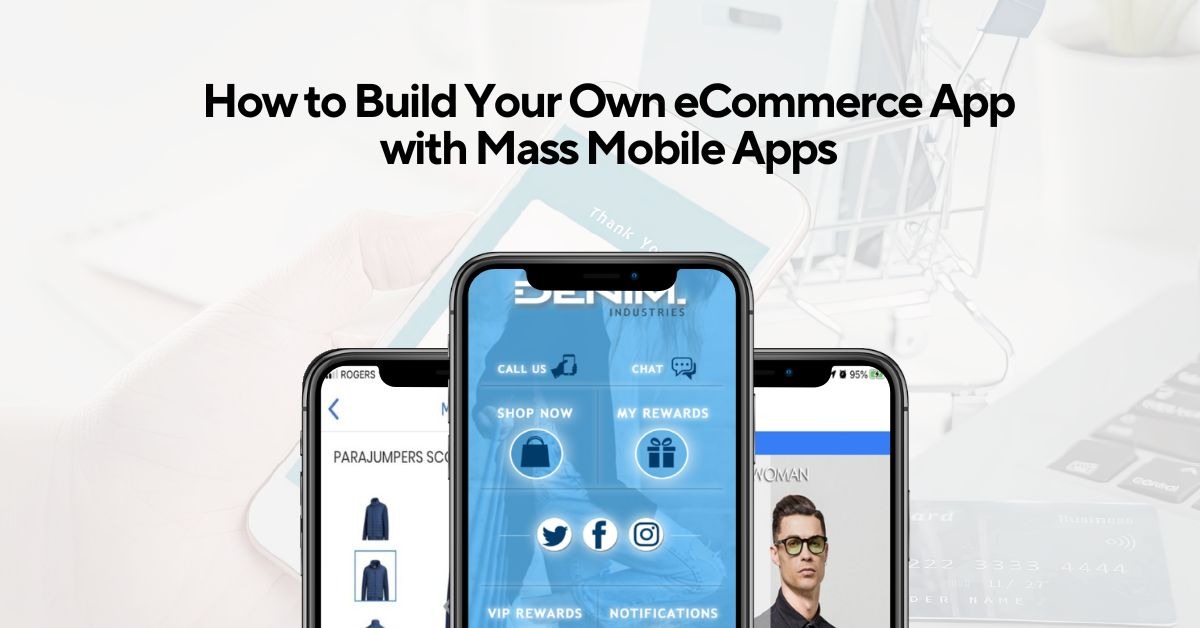
Mobile commerce now accounts for the majority of online sales worldwide. Yet conversion rates on mobile browsers remain significantly lower than on desktops. That gap, between the traffic you’re getting and the revenue you should be making from it, is where most eCommerce businesses are losing money every single day.
The fix isn’t a faster website or a better-designed checkout page. It’s a native eCommerce mobile app that removes the friction a mobile browser never can. And building one doesn’t require a six-figure development budget or months of agency back-and-forth. Here’s exactly how to do it through Mass Mobile Apps.
Why a mobile browser isn’t enough for eCommerce
When a customer lands on your mobile website, they’re fighting against slow load times, clunky navigation, and a checkout process that asks them to do too much. Cart abandonment on mobile browsers consistently runs higher than on desktop — not because customers don’t want to buy, but because the experience makes it harder than it needs to be.
A native eCommerce mobile app solves this structurally. The interface is stored directly on the phone, so load times are instant. Checkout is one tap. Order tracking, loyalty rewards, and support all live in the same place. App users convert at up to 157% higher rates than mobile web visitors and spend an average of 5 to 7 minutes per session — compared to 1 to 2 minutes on a mobile website. That’s not a marginal difference. That’s a completely different customer behaviour.
What MMA’s eCommerce app includes
The MMA platform is positioned as a Done-for-You solution, meaning the eCommerce features come pre-built and ready to configure rather than requiring you to build from scratch. The key features are:
Shopify handles the backend, inventory, pricing, orders, all sync in real time, and purchases show up in your dashboard like any other sale. The app loads from the device rather than a server, so it’s fast. Customers browse without lag and check out in one tap.
Push notifications bypass the feed entirely and land on the lock screen. Back-in-stock, abandoned cart, flash sale — whatever you send hits at about 90% open rates because there’s no platform deciding who sees it.
There are 11 loyalty programs ready to go, from stamp cards to full points setups. Customers see their progress live and redeem inside the app. Mobile ordering is two taps, no long forms, nothing slowing things down at the point where you’ve already got someone ready to buy.
Geo-fencing sends an offer to customers who are physically near your store. And analytics actually tell you something useful — where people drop off, what’s getting saved, what drives repeat purchases.
How to build your eCommerce app — step by step
Step 1
Book the app’s demo. You can visit Mass Mobile Apps website and walk through a live app demo before committing to anything. You’ll see the actual platform, real native speed, real Shopify integration, real feature set, not just a slide deck.
Step 2
Sign up and connect your store. Once you move forward, create your account and connect your Shopify store to the platform. Your product catalogue, collections, pricing, and inventory sync automatically from the moment the connection is live.
Step 3
Choose your template and design. Select a pre-designed template suited to your e-commerce business type, or start from a blank canvas. Customize the layout, colour scheme, fonts, and branding — your app looks entirely like yours, with no sign of the platform behind it.
Step 4
Configure your e-commerce features. Add your product screens, configure the checkout flow, set up your loyalty program, and activate push notification automations. This is where you decide which of MMA’s 11 rewards programs fits your business, and how you want to segment your push campaigns.
Step 5
Test on the device. Use MMA’s built-in preview function before going live. Android uses the Preview Tool App with a preview code. iOS uses TestFlight. Test the full purchase journey, from product discovery, add to cart, checkout, to order confirmation, and fix anything before launch.
Step 6
Publish to the app stores. MMA’s team handles submission to both the Apple App Store and Google Play. No technical rejections, no complex developer accounts. iOS goes live within 14 days of completion of onboarding. Android within 5 days.
Step 7
Promote and grow. Share your app across email, social media, and your existing website. Reward customers for referring others through the app. Use mobile app analytics to track what’s working and refine your push notification strategy as your audience grows.
What it costs
Let’s be real for a second. We’re all watching our loonies. The traditional mobile app development cost can easily spiral into the tens of thousands. Mass Mobile Apps works on a different model. Because they use a structured platform, they can keep things affordable. You get the “Apple Premium” feel, that clean, minimalist aesthetic, without having to sell a kidney to pay for it.
The value isn’t just in the build, though. It’s in the dashboard. You can go in there and change a price or update a photo yourself. You don’t have to call a developer and wait three days for a 15-minute fix. That’s the kind of independence that actually lets a business owner sleep at night.
Evaluating your options
| Feature Category | Mass Mobile Apps Solution | Traditional Custom Build |
| Speed to Market | Usually ready in weeks | Often takes 4-8 months |
| Price Point | Low setup + monthly | High upfront investment |
| User Control | DIY Dashboard for updates | Requires a dev for every change |
| Maintenance | Included in the platform | Usually, a separate hourly fee |
| Platform | iOS & Android included | Often billed per platform |
Conclusion
Stop overthinking it. You don’t need a Silicon Valley budget to have a professional presence. You just need a tool that works as hard as you do. Mass Mobile Apps takes the “voodoo” out of the tech and gives you a straight-up functional tool to sell more stuff. It’s a total game-changer for anyone tired of fighting for attention in a crowded browser. Don’t let the competition get the jump on you—give’r and get your app live before the season turns.
FAQs
How long does it actually take to get live?
Usually just a few weeks from start to finish.
Do I need to be a tech expert to use the dashboard?
Nope, if you can send an email, you can manage this.
Is it available for both iPhone and Android?
Yes, they cover both the App Store and Google Play.
What happens if I need help after it’s launched?
The support team stays with you for any tweaks or fixes.
Can I integrate my existing loyalty program?
Absolutely, it’s designed to sync up with what you already use.